Veo 3.1 CGI Ad Prompts Guide: 7 Tips for Realistic Ads
Hey, if you have ever want to create realistic AI-generated ads but thought it is too difficult, you are in the right place. Today I will show you how to write CGI ad prompts for Veo 3.1 easily, step by step. You Don’t need to worry, I’ll keep it very simple and easy to follow. You don’t need to be pro in video editing or film making.
By the end of this guide, you will understand how to make cinematic AI ads that look professional, how to tweak prompts, and even how to save them in JSON format for reuse. I’ll also give you some extra prompts for other products so you have multiple examples to start with.
Table of Contents
Why CGI Ad Prompt Are Important
Before we start, let’s talk about why prompts are so important. Veo 3.1 and other AI video generators only understand what you tell them. If you write vague instructions, the video will look random or unrealistic. If you write clear, step-by-step instructions, the AI can create videos that look like they were made by professionals.
Think of a prompt as a mini script for a movie. You tell the AI:
- What the product is
- Where it is
- What time of day or lighting
- How the camera moves
- What sound plays
- Any human emotion
- The final logo or tagline
The better you are at describing, the better the final video. That’s why learning to write Veo 3.1 CGI ad prompts is one of the most useful skills today.
Step 1: Start With the Product or Main Focus
Every prompt must begin with the main object or product. Don’t start with extra details yet. Keep it simple and clear.
Example:
“A matte black electric scooter rides on a wet city street at sunset.”
This one line tells the AI: the main object (scooter), the location (city street), and the mood (sunset).
Tip: Always describe only one main object per scene. If you add too many objects, the AI might not know which one to focus on.
Step 2: Add Visual Mood and Lighting
After stating the product, tell the AI about visual mood. These include lighting, weather, or general feeling. Use simple words like: sunset, dawn, night, soft glow, neon lights, warm light, soft shadows.
Example add-on:
“Warm orange light reflects on the wet street, neon signs glow softly in the background.”
Why this works: Lighting makes the scene realistic. Even if the AI can make objects, it needs cues for the environment.
Extra Tip: Words like “soft,” “gentle,” or “warm” give a realistic cinematic feel.
Step 3: Specify Camera Angles and Movements
Next, tell the AI how the camera should move. You can describe angles, zoom, and movement.
Example:
“Start with a wide drone shot from above, then slowly zoom to a side close-up of the scooter and rider.”
Why it’s important: Camera movement makes your video look like a real ad. Without this, AI may create static or awkward shots.
Extra Tip: Keep it simple. One or two camera movements are enough. Too many instructions can confuse the AI.
Step 4: Add Human Action or Emotion
Even one small human action can make your video relatable and emotional. AI videos look flat if no human presence is included.
Example:
“The rider is a young person in casual smart clothes, smiling with calm pride.”
Why: People connect to emotions. One small action like a smile, nod, or hand gesture makes the ad more appealing.
Tip: Keep it short. One action or one emotion per scene works best.
Step 5: Add Sound and Voice Lines
Sound is key to realistic videos. You can include background music, ambient sounds, or a voice-over.
Example:
“Soft ambient city music and a low electric hum. Voice-over in Hindi says, ‘Agla padav — shuruaat apki.’”
Why: AI will understand the mood and timing better. Voice-over adds a call-to-action or a tagline naturally.
Extra Tip: Keep voice lines very short. Three to six words are enough.
Step 6: Add the Ending Logo or Tagline
Always include a final frame with the logo or tagline. This gives your video a professional finish.
Example:
“End shot: Scooter parked in front of a glass office building. Fade in logo: ‘EcoDrive – Future is Now.’”
Why: Ads need a clear ending to feel complete. AI will follow this instruction if you include it in the prompt.
Step 7: Keep Sentences Short and Clear
AI reads better short and clear sentences. Avoid long, complicated lines. Stick to simple words.
Extra Tips:
- You have to use everyday words only.
- You have to avoid poetic phrases.
- Just Focus on one detail per sentence.
- You can Test one change at a time if the output is not perfect.
Real Example Prompt: Electric Scooter
Here’s a ready-to-use prompt for Veo 3.1:
“A matte black electric scooter glides on a wet city road at sunset. Warm orange light and neon reflections shine on the scooter. Start with a wide drone shot, then slow close-up side angle on the scooter and rider. Rider is a young person in casual smart clothes, smiling with calm pride. Soft ambient music and a low electric hum. Voice-over in Hindi: ‘Agla padav — shuruaat apki.’ End shot: scooter parked in front of a glass office building. Fade in logo: ‘EcoDrive – Future is Now.’”
JSON Format:
{
  "prompt": "A matte black electric scooter glides on a wet city road at sunset. Warm orange light and neon reflections shine on the scooter. Start with a wide drone shot, then slow close-up side angle on the scooter and rider. Rider is a young person in casual smart clothes, smiling with calm pride. Soft ambient music and a low electric hum. Voice-over in English: 'Ride the Future, Today.' End shot: scooter parked in front of a glass office building. Fade in logo: 'EcoDrive – Future is Now.'",
  "resolution": "1920x1080",
  "duration_seconds": 8s,
  "style": "cinematic realistic",
  "audio": "ambient with electric hum",
}
Benefits:
- Easy to copy-paste
- Reusable for multiple campaigns at a time
- Clear structure for AI as AI understand the language very easily
Extra Prompts for Other Products
1. Perfume Ad

“A luxury perfume bottle sits on a marble table. Soft sunlight streams through a window. Camera slowly zooms in on the bottle. Light sparkles on the glass. A young woman’s hand gently lifts the bottle. Soft classical music plays. Voice-over in English: ‘Elegance that stays.’ End shot: perfume logo appears with tagline: ‘Timeless Charm.’”
Benefit: Shows cinematic lighting, smooth camera, and human interaction.
2. Smartphone Ad

“A new smartphone lies on a wooden desk. Morning light shines through a window. Camera pans from top-down to side view. A hand swipes the phone screen showing an app. Soft background music plays. Voice-over: ‘Smart, simple, yours.’ End shot: company logo appears on phone screen.”
Benefit: Demonstrates product use clearly and professionally.
3. Food Ad
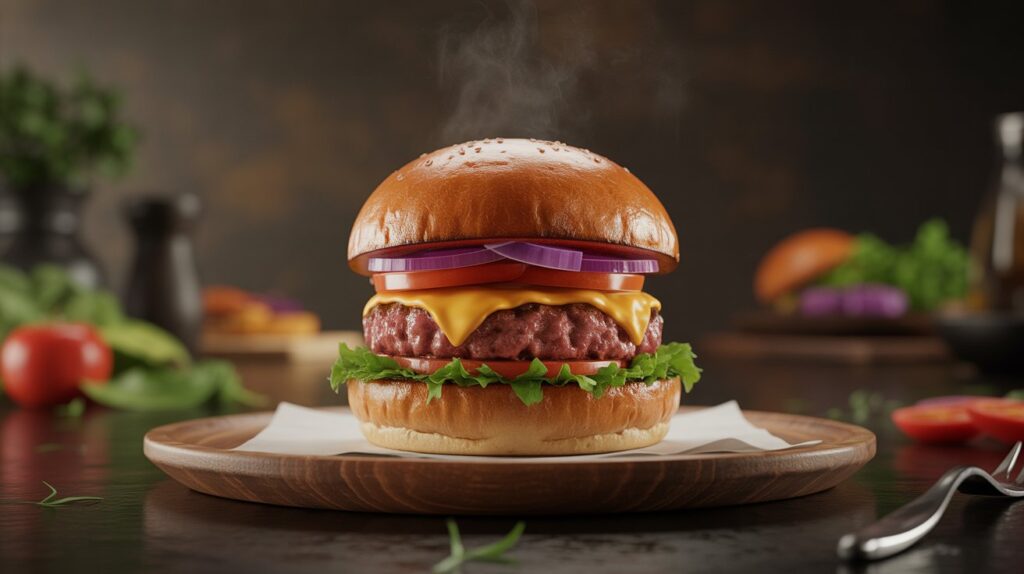
“A plate of steaming pasta on a rustic wooden table. Soft evening light shines from a nearby window. Camera moves slowly around the plate. Hand sprinkles cheese. Light background music plays. Voice-over: ‘Taste that warms the heart.’ End shot: food brand logo appears.”
Benefit: Combines visual appeal, human touch, and cinematic movement.
Tips for Better CGI Ad Prompts
- You have to keep each sentence simple and short.
- Try to use common English words.
- Focus on one emotion per scene.
- Try to test small changes first.
- Just include human gestures for realism.
- Keep video duration short (10–20 seconds) for social media.
- Always end with logo or tagline.
FAQs
Q: Do I need editing skills?
A: No. AI does all the video generation.
Q: Can I sell AI-generated ads?
A: Yes, but check license terms first.
Q: What if the video looks unrealistic?
A: Change one small detail like lighting, camera angle, or voice line. Test again.
Q: How long should the CGI ads be?
A: 10–20 seconds for social media, 30–60 seconds for brand campaigns.
Q: Can I use real people?
A: Use generic descriptions only. Avoid real names.
Final Thoughts
Writing CGI ad prompts for Veo 3.1 is simple once you know the steps. Imagine a mini-movie in your mind. Describe: product, lighting, camera, sound, human action, and final logo. Start with one of the example prompts, test, tweak, and soon you’ll be creating professional-looking AI ads without any editing skills.
Practice is key. Each video teaches you how to improve your next prompt. Keep experimenting and saving your best prompts in JSON format for reuse.
By mastering these CGI Ad Prompts, you can easily create high-quality CGI videos that look professional.
CGI ad allows brands to respond quickly and rapidly optimize their campaigns.
Disclaimer: I am not a lawyer. Always check the AI tool’s license and local rules before using generated videos commercially. Respect copyright and privacy.
Also Read: