
5 Little-Known AI Tools and Hacks That Can Save You Hours
Do you ever feel like your day is too short? Like you have so many things to do but never enough time? Maybe you have homework, chores, studying, or work tasks. It can get stressful sometimes. But guess what? There are some AI tools and hacks that can save you hours every day. And the best part is, you do not need to be a tech expert. I will guide you like a friend and show you step by step how to use them.
By the time you finish reading this, you will know exactly how to use simple AI tools to make your life easier, faster, and a little bit fun too.
Table of Contents
What Is AI And How Can It Help You
AI stands for “artificial intelligence.” I know it sounds big and scary, but it’s really just a smart helper that lives inside your computer or phone.
Think of AI like a little robot friend. It can:
- Do repetitive tasks for you
- Save you lots of time
- Reduce mistakes
- Help you organize your work
Even if you are not good with technology, don’t worry. Today, AI tools are made for everyone. You just give simple instructions and it works for you.
Why You Should Start Using AI Today
You might think, “I can do everything myself, why AI?” Let me tell you why AI can help:
- Saves time – Tasks that take hours can be done in minutes.
- Reduces stress – You don’t need to worry about small mistakes.
- Increases productivity – You can do more in less time.
- Makes life easier – You can focus on things you really like.
I will show you tools and tricks that even beginners can use. Don’t worry about technical stuff. I’ll explain everything simple.
Five Little-Known AI Tools That Can Save You Hours
There are many AI tools online. Some are very popular, some are not known enough. I will tell you about five tools that can really help you save time every day.
1. Otter.ai – The Smart Note-Taker

Otter.ai can write your notes automatically. You just record your class, meeting, or lecture, and it converts speech into text.
Example:
Imagine your teacher is explaining a topic fast. You cannot write everything. Just record with Otter.ai. Later, you can read it in minutes instead of spending hours writing notes.
How To Use:
- Sign up on Otter.ai (free plan works).
- Open the app and record audio.
- Wait few seconds, AI writes the text.
- Highlight important parts and save.
Tip: You can share your notes with friends or classmates.
You can try Otter.ai’s transcription service for your lectures or meetings. Visit Otter.ai
2. ChatGPT Custom Prompts – Your Smart Helper
ChatGPT is like a super-smart friend who answers questions and helps with writing. But here is the secret: custom prompts make it even better.

Example:
If you are a student and want a 30-minute study plan for science, type:
“Make a 30-minute study plan for science homework.”
ChatGPT will give you a step-by-step plan. It’s like having a personal tutor.
How To Use:
- Go to ChatGPT website.
- Write simple instructions (prompts).
- Read and follow the suggestions.
- Ask more questions if needed.
Tip: The clearer your instructions, the better results you get.
3. Motion.ai – Your Task Planner

Do you struggle with planning your day? Motion.ai can organize your tasks automatically. It even moves tasks if something unexpected happens.
Example:
You planned to study from 3 PM to 4 PM, but your friend calls. Motion.ai will reschedule your study time without messing your other tasks.
How To Use:
- Sign up on Motion.ai.
- Add your tasks for the day or week.
- Let Motion.ai organize them.
- Follow the schedule.
Tip: Start small with a few tasks. Once you feel comfortable, add more.
Motion helps you plan tasks smartly with AI and build your day. Check out Motion
4. Notion AI – Your Idea and Notes Helper
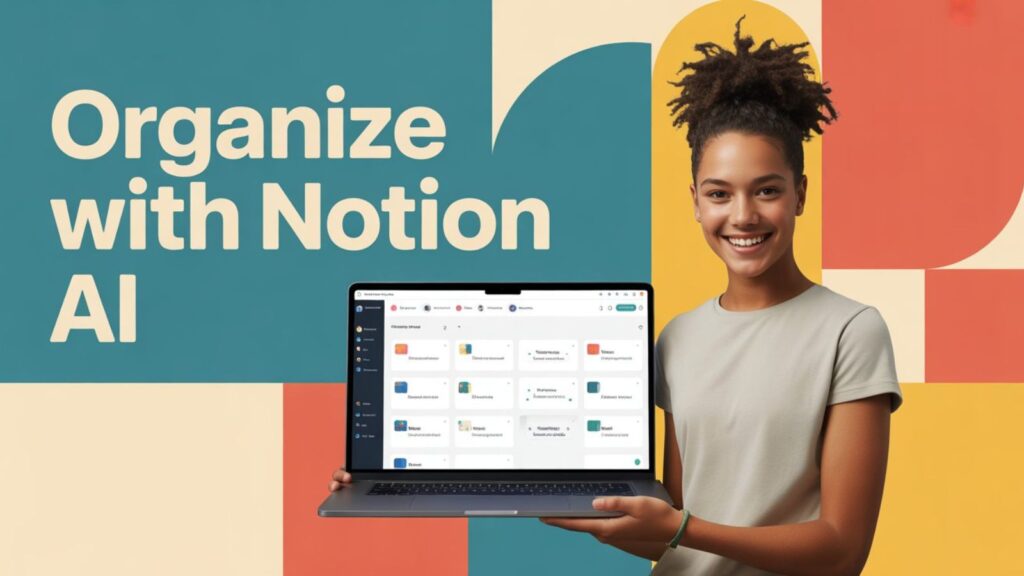
Notion AI is like a smart notebook. It can summarize long texts, organize ideas, and even help you write.
Example:
You have a 20-page school project. Notion AI can make a 1-page summary so you can read quickly.
How To Use:
- Open Notion and create a new page.
- Paste your text or notes.
- Ask Notion AI to summarize or explain in simple words.
- Save and use for study.
Tip: You can use it for brainstorming too. It can give ideas when you are stuck.
5. Cleanup.pictures – Fix Your Photos Quickly

Cleanup.pictures is an AI tool that removes unwanted things from photos. No editing skills needed.
Example:
You took a group photo but there is a trash can in the background. Upload to Cleanup.pictures, mark the trash can, and it disappears.
How To Use:
- Go to Cleanup.pictures.
- Upload your photo.
- Highlight the object to remove.
- Download the fixed photo.
Tip: Use it for school projects, posters, or social media posts.
Step-By-Step Daily AI Hacks
Now I will show you some easy steps to use AI every day and save hours:
- Start small – Pick one AI tool first, like Otter.ai.
- Practice daily – Record class or work tasks daily.
- Combine tools – Later use ChatGPT with Notion AI to plan and summarize.
- Use shortcuts – AI can write emails, summaries, and homework fast.
- Check results – Review AI work, fix small mistakes.
- Have fun – Don’t treat AI as a machine, treat it as a helper.
If you follow these steps, you will see how much time you save in a week.
More Ways AI Can Save You Time
- Homework help – ChatGPT can explain math problems step by step.
- Writing essays – AI can draft essays and you just check them.
- Study notes – Summarize books or long PDFs using Notion AI.
- Plan day – Motion.ai can schedule tasks automatically.
- Photo edits – Cleanup.pictures fixes images in seconds.
Even if you do one of these every day, it saves hours every week. That is like having extra free time for fun or hobbies.
Tips To Make AI Work Better
- Give clear instructions. Simple words work best.
- Start with free versions first. You don’t need to pay.
- Check AI results. AI is smart but not perfect.
- Combine AI tools. For example, use Otter.ai for notes and ChatGPT to make study plans.
- Use daily. Consistency is the key to saving time.
Why AI Is Great For Everyone
You might think AI is only for tech people. That is wrong. AI is for students, teachers, freelancers, homemakers, and anyone who wants to save time.
AI is like a friend who helps with boring or repetitive tasks. This way you can focus on important things. Like learning new skills, playing, or spending time with family.
FAQs About AI Tools
Q1: Are these AI tools free?
Most have free versions. Paid plans give more features but free version is enough to start.
Q2: Do I need to be tech-savvy?
No! These tools are simple. Anyone can use.
Q3: Can AI really save hours every day?
Yes. If you use it every day, AI can do repetitive tasks, organize your day, and make your work faster.
Q4: Is AI safe to use?
Yes, if you use trusted websites. Always read privacy policy.
Q5: Which AI tool should I start first?
I suggest Otter.ai for notes or ChatGPT for study and homework. They are easy and very helpful.
Final Thoughts
AI is not magic, but it is a smart helper. Even small use can save hours every day. Start with one simple tool today. Try it, and you will feel the difference. Soon, you will have more free time, less stress, and your work will feel easier.
Remember, AI is your friend, not a replacement. Treat it as a helper, and you can make your life much better.
Start today, use these hacks, and enjoy your extra free hours!
Also Read:







Thank you for your sharing. I am worried that I lack creative ideas. It is your article that makes me full of hope. Thank you. But, I have a question, can you help me?
yes tell?